
Main Page: Difference between revisions
Realizator (talk | contribs) m layout fix |
Realizator (talk | contribs) |
||
| (100 intermediate revisions by the same user not shown) | |||
| Line 1: | Line 1: | ||
== StereoPi Wiki Main Page == | == StereoPi Wiki Main Page == | ||
Project page: [http://StereoPi.com StereoPi.com] | |||
<br> | |||
StereoPi v2 Crowdfunding (buy) page: [https://www.crowdsupply.com/stereopi/stereopi-v2 CrowdSupply] | |||
<br> | |||
StereoPi v1 Crowdfunding (buy) page: [https://www.crowdsupply.com/virt2real/stereopi CrowdSupply] | |||
<br> | |||
Project forum: [http://forum.stereopi.com forum.stereopi.com] | |||
<br> | |||
StereoPi [https://twitter.com/StereoPi Twitter] | |||
<br> | |||
StereoPi [https://stereopi.com/blog blog] | |||
<br> | |||
Hackaday.io: [https://hackaday.io/project/162954-stereopi-diy-stereoscopic-camera-with-raspberry StereoPi project page]. | |||
<br> | |||
== StereoPi v2 (CM4) information == | |||
{| class="wikitable" | {| class="wikitable" | ||
|- style="vertical-align:top;" | |- style="vertical-align:top;" | ||
| style="width: 50%"| '''Quick Start Guide''' | | style="width: 50%"| ''' ''' | ||
|| ''' | '''StereoPi v2 Quick Start Guide''' | ||
* | |||
* | [[Image:Stereopi-v2-main-1.jpg| 250px |link=StereoPi v2 Quick Start Guide |alt=StereoPi v2 Quick Start Guide |StereoPi v2 Quick Start Guide]] | ||
* | || | ||
'''StereoPi v2 Camera Kit Quick Start Guide''' | |||
[[Image:Stereopi-v2-camera-kit.jpg| 250px |link=StereoPi v2 Camera Kit Guide |alt=StereoPi v2 Camera Kit Guide |StereoPi v2 Camera Kit Guide]] | |||
|- style="vertical-align:top;" | |||
| style="width: 50%"| ''' ''' | |||
'''SLP2 RaspiOS guide''' | |||
[[Image:Camera-tab-camera-settings.png| 250px |link=SLP2 (StereoPi Livestream Playground v2) |alt=SLP2 (StereoPi Livestream Playground v2) |SLP2 (StereoPi Livestream Playground v2)]] | |||
|| | |||
'''StereoPi HQ Housing Assembly Guide''' | |||
[[Image:Stereopi-v2-hq-housing-small.jpg| 250px |link=HQ housing assembly |alt=HQ housing assembly |HQ housing assembly]] | |||
|} | |||
'''StereoPi v2 information''' | |||
* [[StereoPi v2 Quick Start Guide]] | |||
* [[StereoPi v2 Camera Kit Guide]] | |||
* StereoPi v2 [https://www.crowdsupply.com/stereopi/stereopi-v2 Crowdfunding page] | |||
* [[StereoPi v2 mechanics]] | |||
* [[StereoPi v2 schematics]] | |||
* [http://wiki.stereopi.com/files/dt-blob.bin.zip dt-blob.bin for the CM3 and CM4] | |||
* [https://www.mediafire.com/folder/nzr90vj8wp1l3/SLP RaspiOS images: SLP2 and OpenCV] | |||
<br> | <br> | ||
== StereoPi v1 (CM3) information == | |||
{| class="wikitable" | |||
|- style="vertical-align:top;" | |- style="vertical-align:top;" | ||
| style="width: 50%"| '''The Basics''' | | style="width: 50%"| '''[[The Basics | The Basics]]''' | ||
* How to insert RPi Compute Module | * [[The Basics#HOT!!! The VERY first steps video tutorials | HOT!!! The VERY first steps video tutorials]] | ||
* How to prepare Raspbian image | * [[The Basics#How to insert RPi Compute Module | How to insert RPi Compute Module]] | ||
* How to connect cameras | * [[The Basics#How to prepare Raspbian image | How to prepare Raspbian image]] | ||
* How to connect power | * [[The Basics#eMMC Compute Module (non-"Lite" editions)|eMMC Compute Module (non-"Lite" editions)]] | ||
* How to | * [[The Basics#How to connect cameras | How to connect cameras]] | ||
* How to power up the StereoPi | * [[The Basics#How to connect power|How to connect power]] | ||
* Quick equipment test | * [[The Basics#How to install cameras to support plates|How to install cameras to support plates]] | ||
* [[The Basics#How to power up the StereoPi|How to power up the StereoPi]] | |||
* [[The Basics#Quick equipment test|Quick equipment test]] | |||
* What StereoPi LEDs means | * What StereoPi LEDs means | ||
<br> | <br> | ||
| style="width: 50%" | '''Advanced User Section''' | | style="width: 50%" | '''[[Advanced User Section|Advanced User Section]]''' | ||
* [[Burning out your camera | Burning out your camera]] | |||
* USB power cable pinout | * USB power cable pinout | ||
* Alternative power connection | * Alternative power connection | ||
* Upload image to EMMC over Micro USB (CM1, CM3 non-Lite) | * [[Advanced User Section#Upload image to EMMC over Micro USB (CM1, CM3 non-Lite)|Upload image to EMMC over Micro USB (CM1, CM3 non-Lite)]] | ||
* Using HDMI capture module instead of a camera | * Using HDMI capture module instead of a camera | ||
* CPU temperature caveats | * CPU temperature caveats | ||
* GPIO | * [[Advanced User Section#GPIO pinout notice|GPIO pinout notice]] | ||
* [[Advanced User Section#Google Coral Installation with Compute Modules|Google Coral Installation with Compute Modules]] | |||
* [[Advanced User Section#Connecting two 18MP Arducam (UC-549, AR1820) to the StereoPi|Connecting two 18MP Arducam (UC-549, AR1820) to the StereoPi]] | |||
|- style="vertical-align:top;" | |- style="vertical-align:top;" | ||
| style="width: 50%"| '''Stereopi Livestream Playground (S.L.P.) image''' | | style="width: 50%"| '''[[SLP (StereoPi Livestream Playground) Raspbian Image|Stereopi Livestream Playground (S.L.P.) image]]''' | ||
''Ready-to-use image for experiments with 3D livestream. You may use it with a classic Raspberry Pi, disabling “stereo” mode and use only one camera.'' | ''Ready-to-use image for experiments with 3D livestream. You may use it with a classic Raspberry Pi, disabling “stereo” mode and use only one camera.'' | ||
* | * [[SLP (StereoPi Livestream Playground) Raspbian Image#SLP Raspbian Image Specific|SLP Raspbian Image Specific]] | ||
* | * [[SLP (StereoPi Livestream Playground) Raspbian Image#Quick Start video guide|Quick Start video guide]] | ||
* | * [[SLP (StereoPi Livestream Playground) Raspbian Image#Partition structure|Partition structure]] | ||
* How to | * [[SLP (StereoPi Livestream Playground) Raspbian Image#How to prepare MicroSD card with SLP|How to prepare MicroSD card with SLP]] | ||
* | * [[SLP (StereoPi Livestream Playground) Raspbian Image#Network configuration|Network configuration]] | ||
* | * [[SLP (StereoPi Livestream Playground) Raspbian Image#All configuration file options | All configuration file options]] | ||
* | * [[SLP (StereoPi Livestream Playground) Raspbian Image#How do you find StereoPi in your network?|How do you find StereoPi in your network?]] | ||
* | * [[SLP (StereoPi Livestream Playground) Raspbian Image#Android application|Android application]] | ||
* | * [[SLP (StereoPi Livestream Playground) Raspbian Image#Oculus Go application|Oculus Go application]] | ||
* | * [[SLP (StereoPi Livestream Playground) Raspbian Image#HDMI stereoscopic preview (RC FPV usage)|HDMI stereoscopic preview (RC FPV usage)]] | ||
* | * [[SLP (StereoPi Livestream Playground) Raspbian Image#SLP admin panel options|SLP Admin panel options]] | ||
* | * [[SLP (StereoPi Livestream Playground) Raspbian Image#Advanced users’ section|Advanced users’ section]] | ||
<br> | <br> | ||
| Line 57: | Line 110: | ||
|- style="vertical-align:top;" | |- style="vertical-align:top;" | ||
| style="width: 50%"| '''Mechanics''' | | style="width: 50%"| '''[[StereoPi Mechanics]]''' | ||
* Camera support plates | * [[StereoPi Mechanics#Camera support plates|Camera support plates]] | ||
* Cases for 3D print | * [[StereoPi Mechanics#Cases for 3D print|Cases for 3D print]] | ||
* | * [[StereoPi Mechanics#Step file (3D model of the board)|Step file (3D model of the board)]] | ||
* [[StereoPi Mechanics#DWG, STL and OBJ models of the StereoPi Regular board|DWG, STL and OBJ models of the StereoPi]] | |||
* | |||
<br> | <br> | ||
| style="width: 50%" | | | style="width: 50%" | * [[DIY Ninjas Section|DIY Ninjas Section]] | ||
* CM1 support (how to change power mode) | * [[DIY Ninjas Section#CM1 support (how to change power mode)|CM1 support (how to change power mode)]] | ||
* | * [[DIY Ninjas Section#Undeclared feature: usb client mode|Undeclared feature: usb client mode]] | ||
* Device tree (DTS and dt-blob.bin) | * [[DIY Ninjas Section#Device tree (DTS and dt-blob.bin)|Device tree (DTS and dt-blob.bin)]] | ||
* Schematic of the StereoPi board | * [[DIY Ninjas Section#Schematic of the StereoPi board|Schematic of the StereoPi board]] | ||
<br> | <br> | ||
|- style="vertical-align:top;" | |- style="vertical-align:top;" | ||
| style="width: 50%"| '''Specifications''' || style="width: 50%"| '''Computer Vision''' | | style="width: 50%"| '''[[StereoPi Specifications|StereoPi Specifications]]''' | ||
* Python | * [[StereoPi Specifications#Features & Specifications|Features & Specifications]] | ||
* OpenCV first steps | * [[StereoPi Specifications#StereoPi Pinout|StereoPi Pinout]] | ||
* ROS first steps | * [[StereoPi Specifications#StereoPi GPIO pinout|StereoPi GPIO pinout]] | ||
* [[StereoPi Specifications#USB pins, power pins|USB pins, power pins]] | |||
| style="width: 50%"| '''Computer Vision''' | |||
* [https://stereopi.com/blog/opencv-comparing-speed-c-and-python-code-raspberry-pi-stereo-vision OpenCV: comparing the speed of C++ and Python code] | |||
* [https://stereopi.com/blog/opencv-and-depth-map-stereopi-tutorial Python and OpenCV first steps] | |||
* [https://stereopi.com/blog/ros-simple-depth-map-using-raspberry-pi ROS first steps] | |||
<br> | <br> | ||
| | |- style="vertical-align:top;" | ||
| style="width: 50%"| | |||
====Our experiments==== | |||
* [https://stereopi.com/blog/opencv-comparing-speed-c-and-python-code-raspberry-pi-stereo-vision OpenCV: comparing the speed of C++ and Python code] | |||
* [https://stereopi.com/blog/you-3rd-person-view-stereopi-oculus-go You from 3rd person view: StereoPi + Oculus Go]. <br>Forum discussion of Oculus Go experiment [http://forum.stereopi.com/viewtopic.php?f=10&t=20 is here]. | |||
* [https://stereopi.com/blog/ros-simple-depth-map-using-raspberry-pi ROS: a simple depth map using Raspberry Pi] | |||
* [https://stereopi.com/blog/stitching-360-panorama-raspberry-pi-cm3-stereopi-and-two-fisheye-cameras-step-step-guide Stitching 360 panorama with Raspberry Pi CM3, StereoPi and two fisheye cameras. Step-by-step guide.] | |||
* [https://stereopi.com/blog/opencv-and-depth-map-stereopi-tutorial OpenCV and Depth Map on StereoPi tutorial] | |||
* [https://stereopi.com/blog/robot-stereopi-part-1-fisheye-cameras A robot on StereoPi, part 1: fisheye cameras] | |||
* [https://stereopi.com/blog/hacking-skybox-oculus-go-stereopi-live-streaming Hacking Skybox on Oculus Go] | |||
* [https://stereopi.com/blog/art-stereoscopic-photo The Art Of Stereoscopic Photo] | |||
* [https://stereopi.com/blog/art-stereoscopic-photo-part-2 The Art Of Stereoscopic Photo, Part 2] | |||
* [https://stereopi.com/blog/opencv-comparing-speed-c-and-python-code-raspberry-pi-stereo-vision The Art Of Stereoscopic Photo - macro 3D, Part 3] | |||
* [https://stereopi.com/blog/stereopi-used-usb-device StereoPi as a USB device (USB gadget mode, network over USB)] | |||
| style="width: 50%"| | |||
====Downloads section==== | |||
'''The latest Raspbian S.L.P. and OpenCV images''' | |||
* [https://www.mediafire.com/folder/nzr90vj8wp1l3/StereoPi_Images S.L.P. and OpenCV images at Mediafire] | |||
'''Raspbian Buster OpenCV Image (Python and C++ code, old release)''' | |||
* [https://drive.google.com/file/d/1xlkvZMl9gJGm4Gy1oVlGknHywDnvy5gS/view?usp=sharing Raspbian Buster OpenCV image, Google Drive] | |||
'''dt-blob.bin file''' | |||
* [http://wiki.stereopi.com/files/dt-blob.bin.zip dt-blob.bin for the CM3 and CM4] | |||
|} | |||
== Where to buy == | |||
* '''New''' reseller in Canada: [https://www.buyapi.ca/stereopi/ BuyaPi.ca] | |||
* USA: [https://www.pishop.us/stereopi/ PiShop.us] | |||
* USA/Worldwide: [https://www.crowdsupply.com/virt2real/stereopi Crowd Supply] | |||
* Worldwide: [https://www.mouser.com/Search/Refine?Keyword=stereopi Mouser Electronics] | |||
* Russia [https://chipster.ru/catalog/microcomputers/raspberry/stereopi/ Chipster.ru] [https://onpad.ru/catalog/cubie/raspberrypi/boards/2808.html Onpad.ru] | |||
Latest revision as of 18:39, 3 October 2024
StereoPi Wiki Main Page
Project page: StereoPi.com
StereoPi v2 Crowdfunding (buy) page: CrowdSupply
StereoPi v1 Crowdfunding (buy) page: CrowdSupply
Project forum: forum.stereopi.com
StereoPi Twitter
StereoPi blog
Hackaday.io: StereoPi project page.
StereoPi v2 (CM4) information
|
StereoPi v2 Quick Start Guide
|
StereoPi v2 Camera Kit Quick Start Guide
|
|
SLP2 RaspiOS guide
|
StereoPi HQ Housing Assembly Guide
|
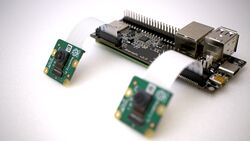
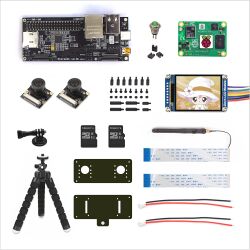
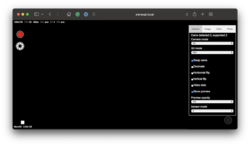
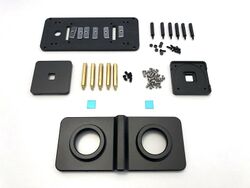
StereoPi v2 information
- StereoPi v2 Quick Start Guide
- StereoPi v2 Camera Kit Guide
- StereoPi v2 Crowdfunding page
- StereoPi v2 mechanics
- StereoPi v2 schematics
- dt-blob.bin for the CM3 and CM4
- RaspiOS images: SLP2 and OpenCV
StereoPi v1 (CM3) information
Where to buy
- New reseller in Canada: BuyaPi.ca
- USA: PiShop.us
- USA/Worldwide: Crowd Supply
- Worldwide: Mouser Electronics
- Russia Chipster.ru Onpad.ru